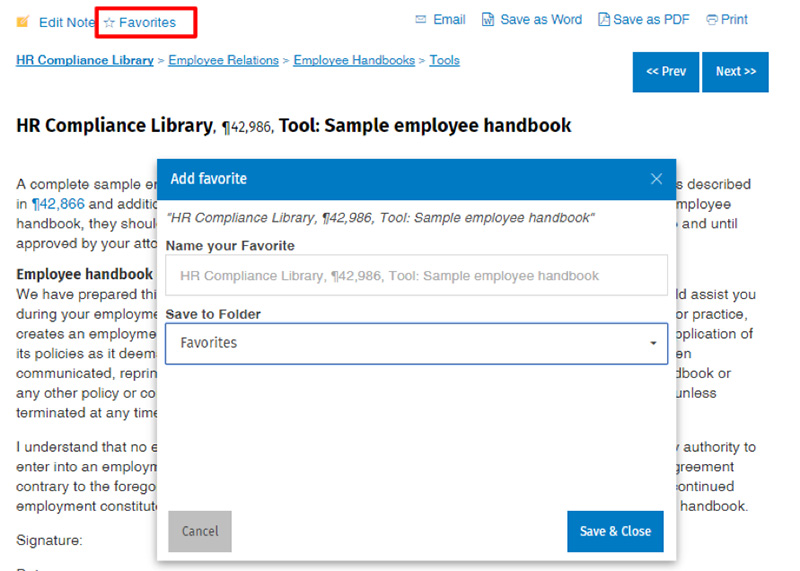
When you enter a document, at the top of the screen you have the option to add the document to your favorites.
To add a document to your favorites:
This note will be associated with this document, and you can get to your favorites in the utility bar at the top of the screen by clicking Favorites.