Help - Home
Advanced Search
Use advanced search to connect multiple queries together with Boolean connectors, to search with a specific date parameter, or search across only selected content.
To run an advanced search:
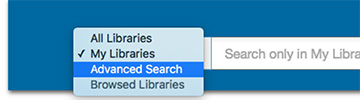
- Select Advanced Search from the toggle selector next to the main search box.
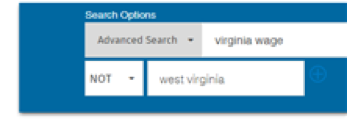
- Enter the term Virginia.
- Enter an additional search term: wage.
- Click the PLUS and select NOT.
- Enter West Virginia.
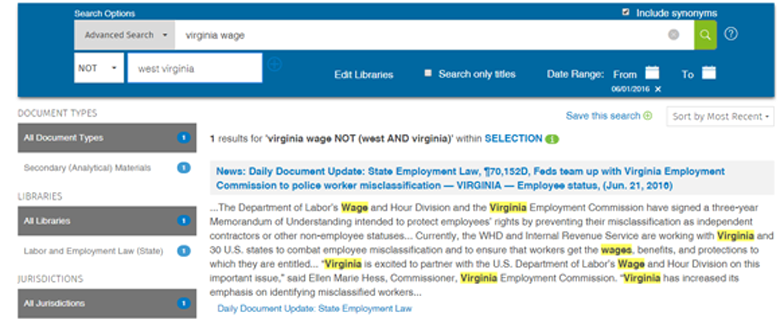
- Click the Edit Libraries link to display and select the libraries you want to search.
- Check the Search only titles check box to narrow your search results to documents that only have your search parameters in the title.
- Select a date range between June 1, 2016 and your current date.
- Click the Search search button
 to display your results.