Help - Home
Basic Search
To search in AnswersNow:
- Enter a search term in the search bar and click the search button
 .

Tip: When performing searches on AnswersNow, you can use the thesaurus feature to look for terms similar to your search expression. The thesaurus feature is turned on by default with the Include synonyms checkbox checked. Uncheck the Include synonyms checkbox to turn off the thesaurus feature and to refine your search to just the specific search term you have entered.
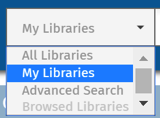
Tip: By default, your preferred libraries (My Libraries) are selected. You can search all content without reconfiguring your library settings by changing the drop down to All Libraries.
Example Search:
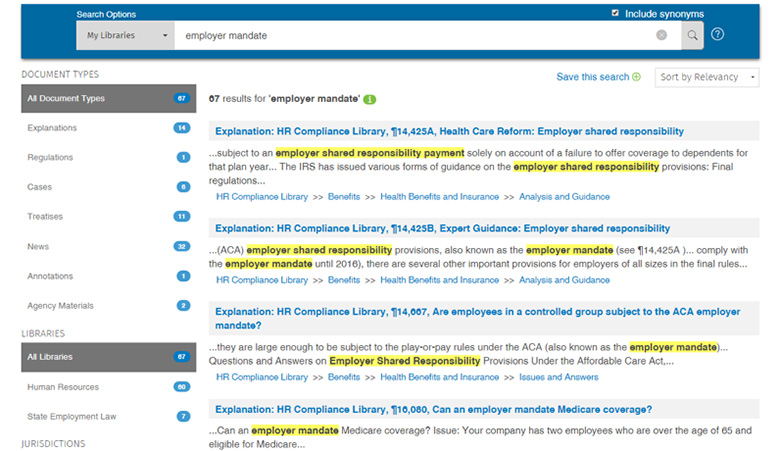
- Enter the word employer mandate in the search bar.
- Click the search button to display your search results.
Reviewing and Refining Your Search
The search results screen has a number of features to help you get to your answer quickly. Those features include the following:
- View total number of documents
- Click the (i)
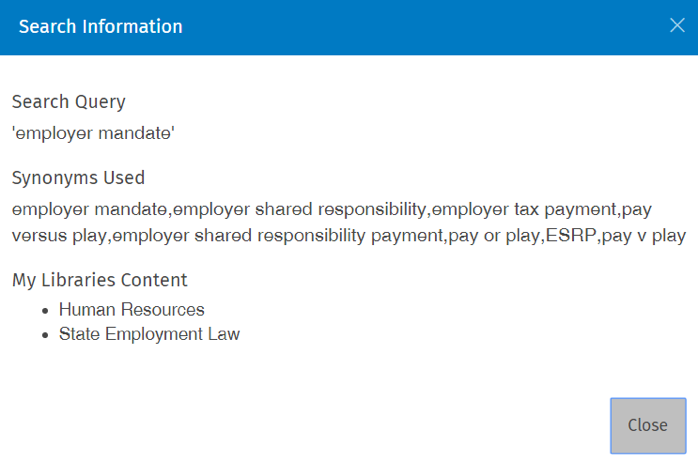
 button to view your search parameters, scope of content searched and the additional search terms that have been applied to optimize search results
Ex: Notice that when you search for EMPLOYER MANDATE, the system automatically also searches for PAY OR PLAY, ESRP EMPLOYER SHARED RESPONSIBILITY PAYMENT, etc.
- View the counts next to the Document Types, Libraries and Jurisdictions that contain documents that match your search term. Click any to FILTER YOUR SEARCH automatically.
Ex: Notice that when you search for EMPLOYER MANDATE, then select the DOCUMENT TYPE “NEWS”, your search results reduce to just those documents from the NEWS databases and contain the searched-for terms.
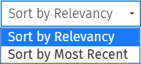
- Sort the documents that appear in the main window by relevancy or by date. The documents are automatically sorted by relevancy, but you can click to sort by date by selecting Sort by Most Recent. (Sort by Most Recent will only apply to the News databases, no other content.)